Blog

Building Your Own NAS: Security, Protection and Firewall

10 Mar 2026 [ Blog  SysAdmin  Linux  NAS  Security  ]

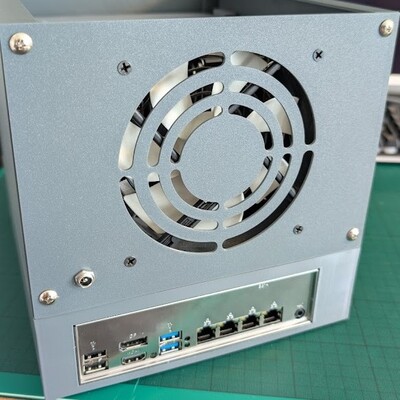
Finished NAS build

The final chapter of the NAS series covers practical security measures: automatic updates, SSH hardening, UFW firewall, and Fail2Ban intrusion prevention. Plus a full retrospective on the project with real performance numbers and cost breakdown.
Building Your Own NAS: Monitoring

09 Mar 2026 [ Blog  SysAdmin  Linux  NAS  Monitoring  ]

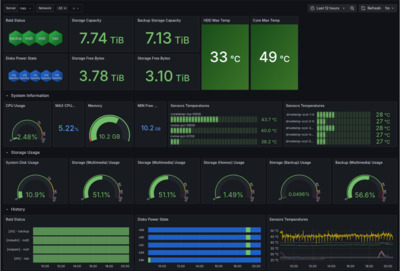
Grafana monitoring dashboard

A NAS running unattended needs good monitoring. This part covers setting up comprehensive monitoring with email notifications, a full metrics stack (Telegraf + InfluxDB + Grafana), disk health monitoring, and RAID/ZFS alerting.

Building Your Own NAS: Configuring Services

08 Mar 2026 [ Blog  SysAdmin  Linux  NAS  ]

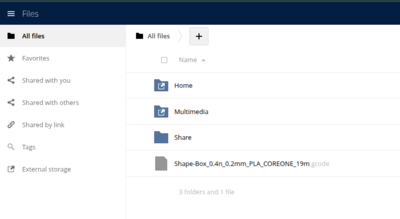
ownCloud web interface

When discussing NAS solutions, most people think of “a box with disks that shares files.” In practice, a modern NAS is much more than that. This part covers configuring all key services: Samba, ownCloud, Nginx, and WireGuard VPN.

Building Your Own NAS: Custom Enclosure and Data Migration

07 Mar 2026 [ Blog  SysAdmin  Linux  NAS  ]

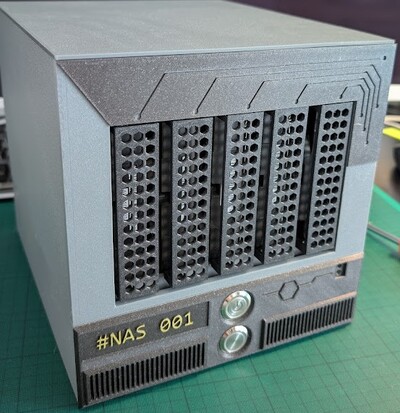
Finished 3D-printed NAS enclosure

In this second part of the series, we tackle two major challenges: designing and 3D-printing a custom NAS enclosure, and migrating data from the original QNAP RAID to the new ZFS-based storage.

Building Your Own NAS: Hardware Selection and Operating System Choice

06 Mar 2026 [ Blog  SysAdmin  Linux  NAS  ]

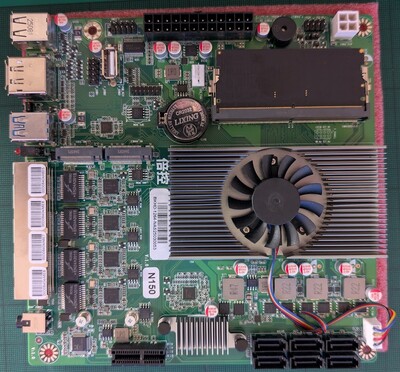
NAS motherboard

Building your own network storage (NAS) doesn’t have to be expensive or complicated. In this first part of the series, I’ll show you how I built a compact, powerful, and sustainable storage solution with Docker, monitoring, and remote access using 3D printing.

How To Build Your NAS

06 Nov 2025 [ Blog  Kernel  SysAdmin  Linux  ]

Building your own network storage (NAS) doesn’t have to be expensive or complicated. Today, we’ll take a look at how to approach designing your own NAS case and also how to migrate data from the original storage to the new solution.

img1

ESP8266 + InfluxDB + OLED DIsplay and DHT22

03 Dec 2017 [ Blog  ]

Basicly just put together from Examples.

Sending data tu InfluxDB was little bit tricky using HTTPClient and POST method for InfluxDB.

img1

Command Line Tool for iRedMail (MySQL backend only)

13 Mar 2014 [ Blog  HowTos  Linux  Python  SysAdmin  ]

Hi,

if anyone is interested in  open source mail server solution iRedMail and use MySQL as backend should now use my small cli script. Script has limited functions but it’s perfect for things like importing new domains or creating many email accounts.

Script is opensource and use some functions from original iredadmin web management. So you need iredadmin installed, which is default option.

iRedMail CLI Tool on Github

HowTo use Grub rescue mode

07 Jun 2013 [ Blog  HowTos  Kernel  Linux  SysAdmin  ]

Sometimes when you upgrade or migrate your linux from one disk to another, boot should hang out on line  “grub rescue>“,

what now ?

BASH GIT prompt

28 Nov 2012 [ Bash  Blog  Linux  ]

I’d like to introduce you my bash shell which can handle GIT information.

More information and sources are hosted on Github.

Automatic server audit for RackTables project

02 Nov 2012 [ Blog  Linux  Python  ]

First I’d like to introduce one very nice project called RackTables. It’s management system for DataCenters or rack rooms. I test many project like this but this one fits best for our needs. With this system you can document your network and infrastructure. Datacenters, rooms, rack rows, servers and their attributes, ipv4/ipv6 ranges, virtual resources, etc.

I work as System Specialist, many times it’s too much work and I forgot to document some changes which I made on server or infrastructure. When number of servers grows to hundreds this is a really big problem you must handle. Important is also to know, what was the change, not only actual state. So you must create log of changes.

I have created one small script which discover physical or virtual server and insert or update information into racktables database and ! it create LOG in RackTables. You see what was the previous state and when this change was made.

Script can handle various system and HW infromation and what is perfect, it do it automatically without any interaction.